Step 1: Download the App! —>
STEP 2: Register an Account!
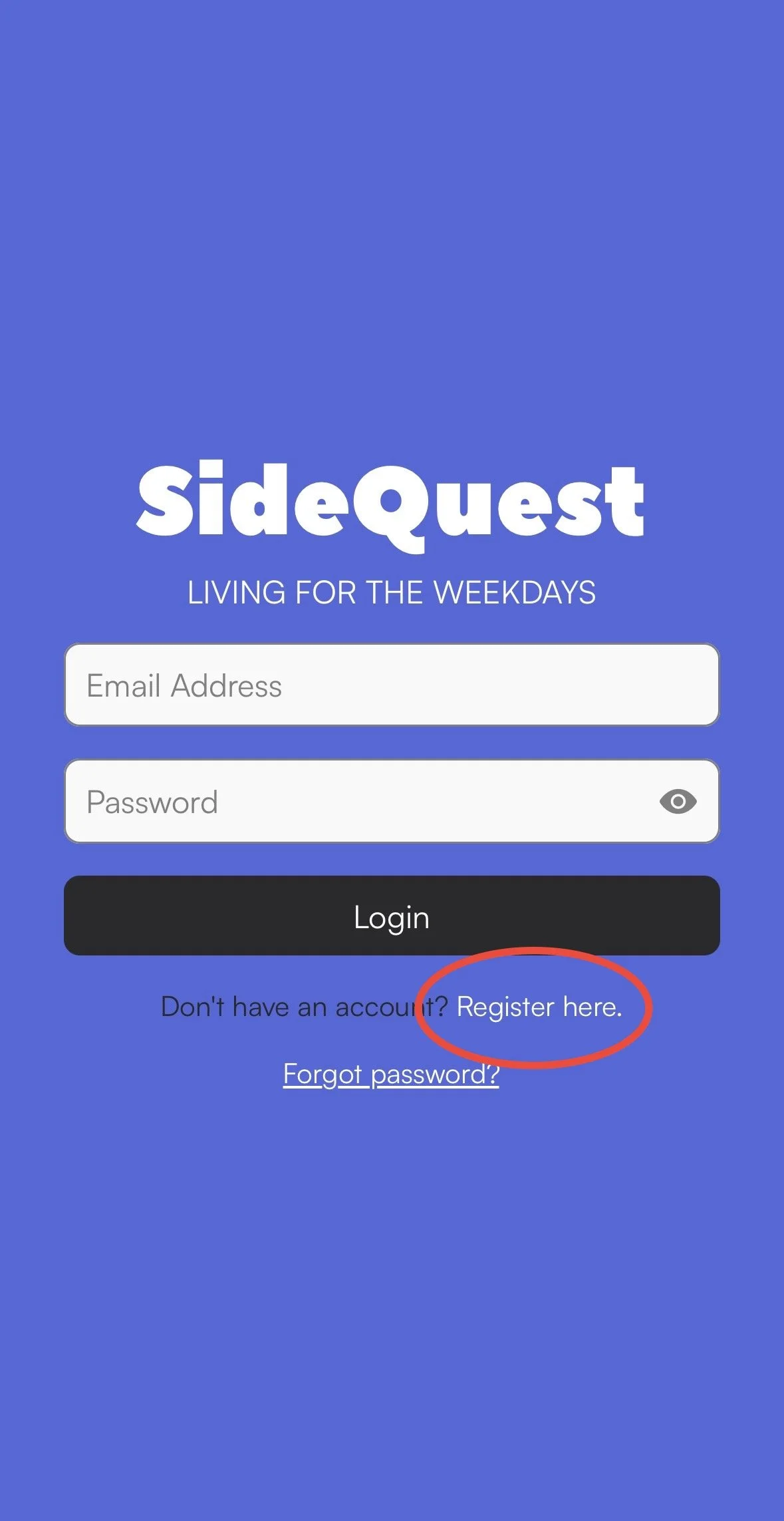
When you first open the app you’ll get this page, click where it says “Register Account”. Please use the email you’ll have access to (we will send you a verification to this email later)
STEP 3: Verify Your Email!
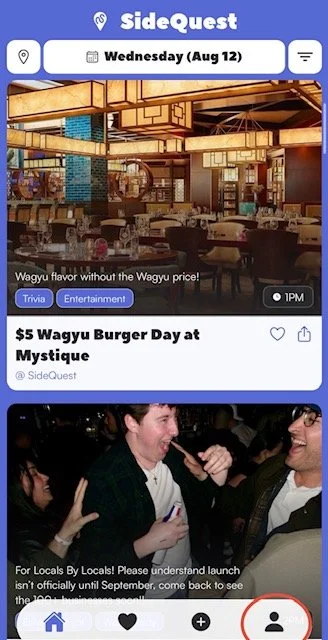
When you open the app you’ll see the home page! Click the bottom right button seen on this picture below:
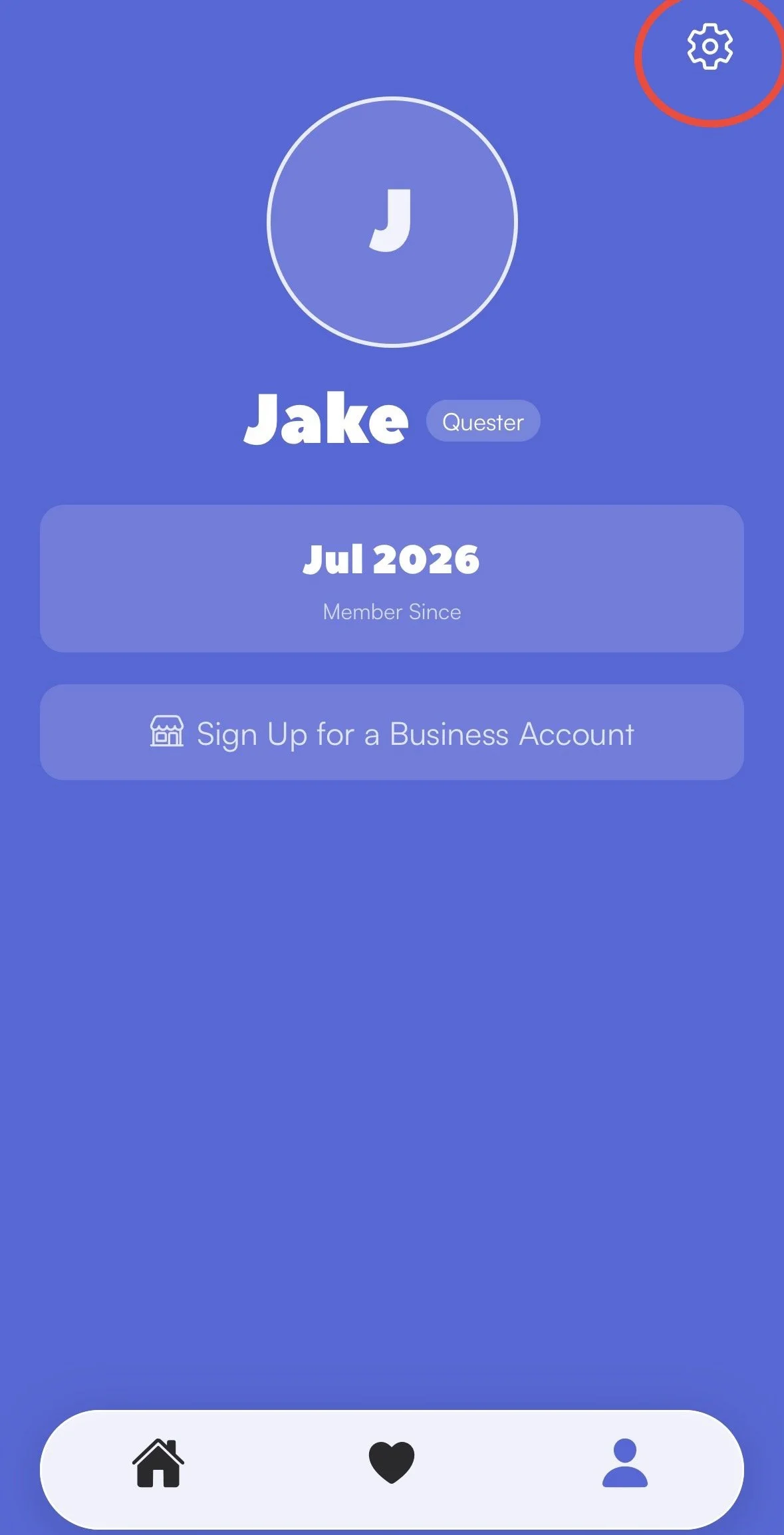
When you click that button it will bring you to this page, click the top right button to get to the settings page:
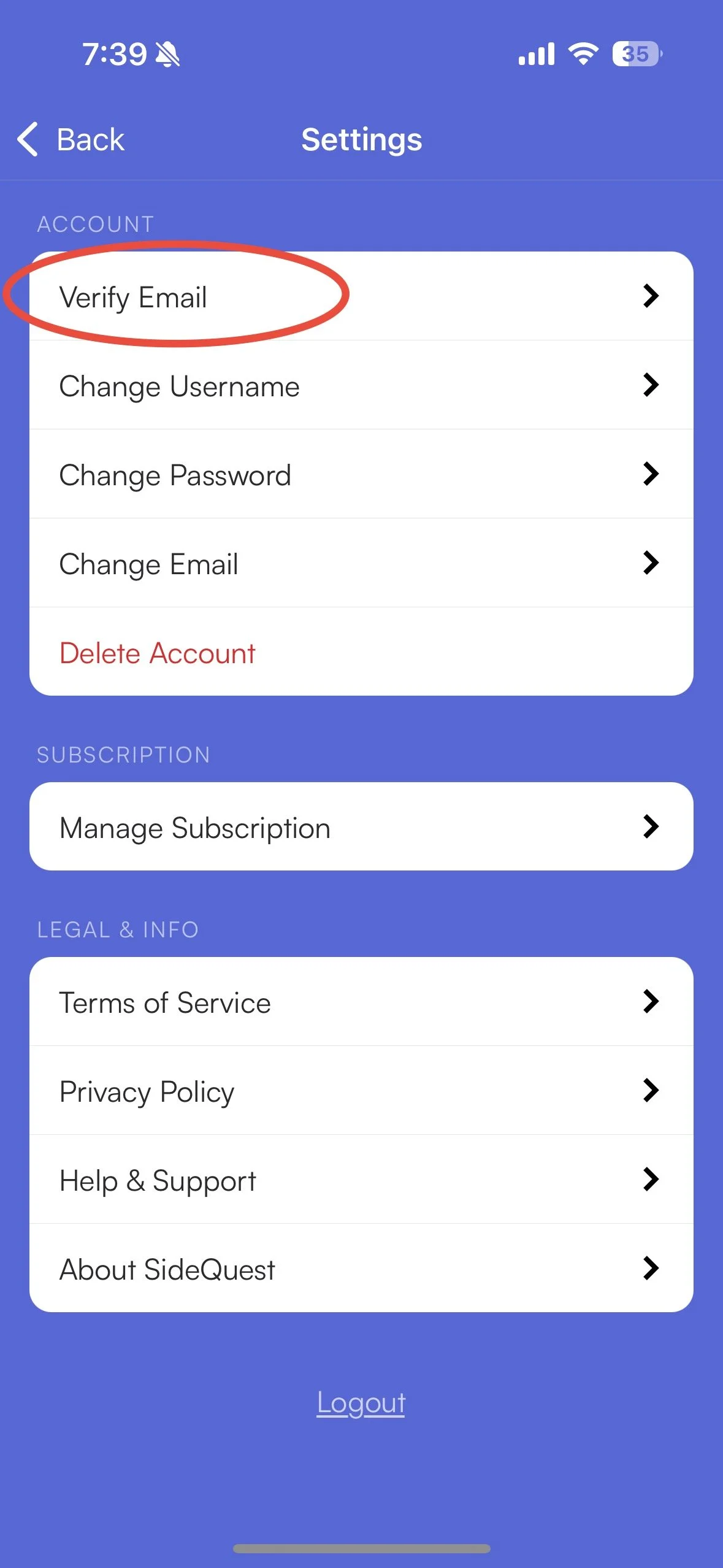
On the settings page (shown below) click the “Verify Email” Button (PLEASE check your “Spam” folder - sometimes it ends up in there)
STEP 4: Make it a Business Account!
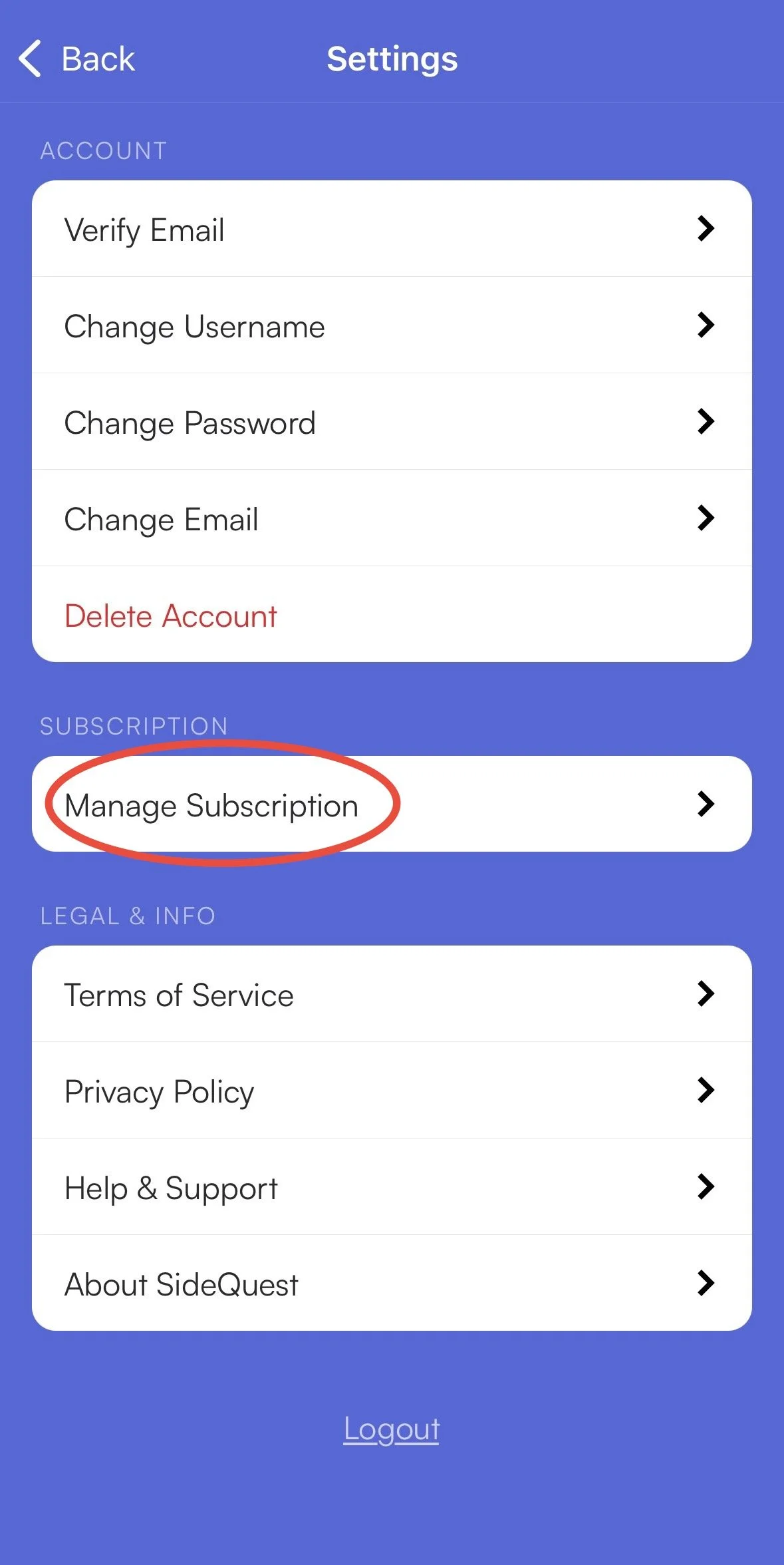
Once you verify the email come back to the Settings page. When you are here click “Manage Subscription”.
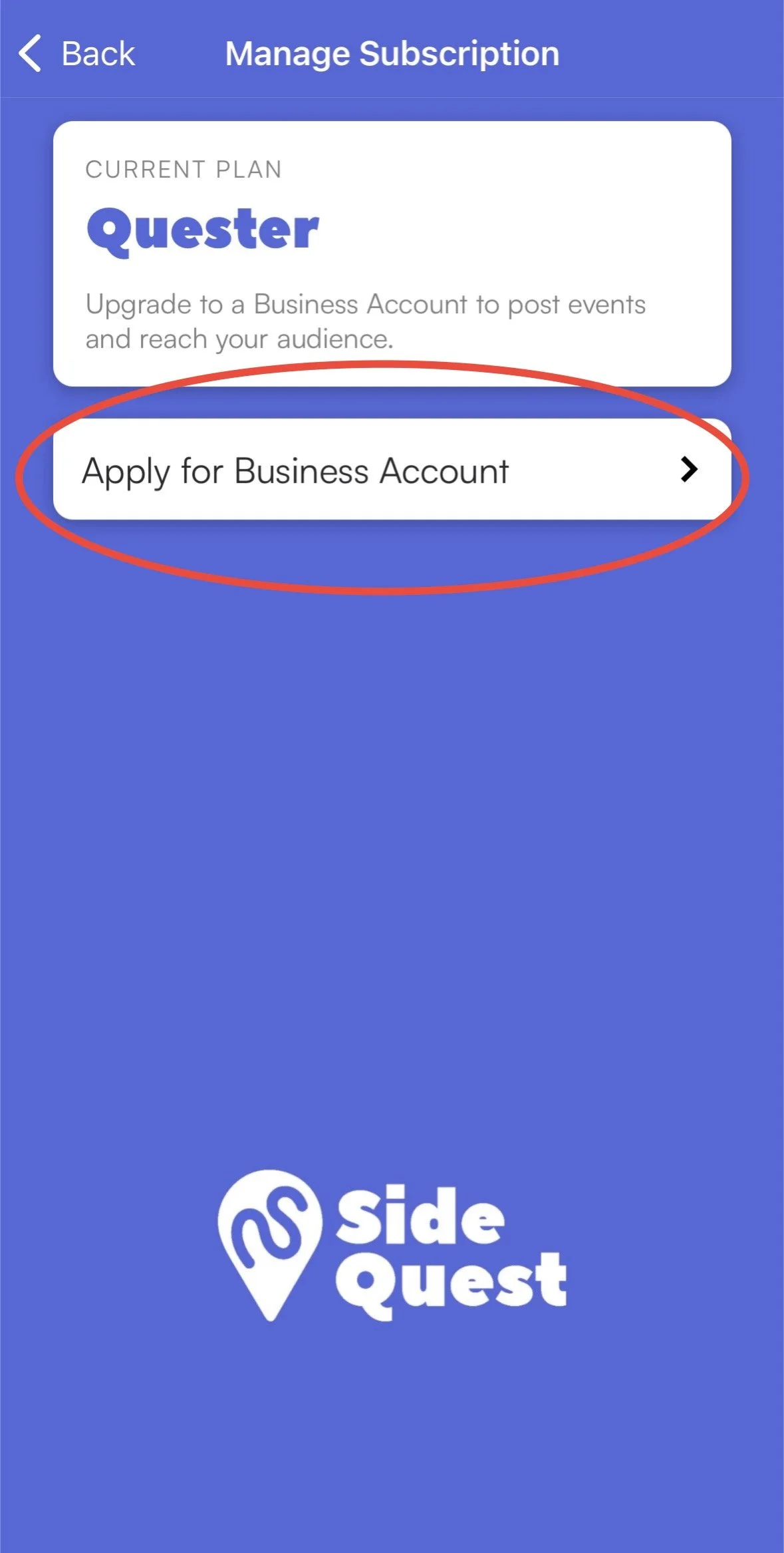
From here: Click “Apply for a Business Account”, fill out the info on the page, and submit! Once we review and accept you will be able to post!